Sakura Kinomoto dengan dua kostumnya sekarang menghuni kamar saya, hasil beli di trotoar di daerah UGM seharga masing-masing 12 ribu. Murah, finishing gak begitu halus, tapi cincay-lah 😀 […]
Opera Mini 4.2
Opera telah resmi meluncurkan Opera Mini 4.2 untuk handphone yang support java dan juga untuk perangkat Android beberapa hari yang lalu. Fitur-fitur utama dari Opera Mini ini adalah […]
Masih tentang Opera University Tour
Meskipun Opera University Tour di Indonesia telah selesai (dan untuk chapter Jogja saya datang bareng Pengki), namun postingan kali ini masih berkaitan dengan hal tersebut. Apalagi kalau bukan […]
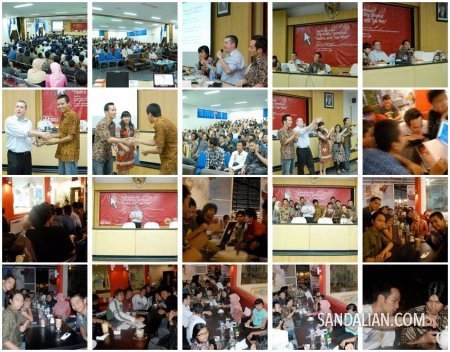
Opera University Tours – Chapter Yogyakarta
Last week, I got a chance to join a seminar held by Opera and Gadjah Mada University. Yes I missed Pesta Blogger but I got another good event […]
Blogger dan WiFi?
Paling tidak seperti inilah yang terjadi di maskapai penerbangan Virgin yang sekarang menyediakan koneksi gratis bagi penumpang pesawatnya. Penasaran dengan halaman web yang dibuka oleh Brian Lam (yang […]
Guruku Seribu
Saya cukup kaget pagi tadi melihat RSS reader di browser Opera saya demi mendapati Arya meng-update blog-nya. Ternyata tentang guru jaman dia SMA, saat itu saya baru sadar […]
I met three great guys
At saturday last week, I went to a seminar with Pengki at a local university. Opera software was the sponsor, they sent Bruce Lawson and Zi Bin Cheah […]
How to make Zenwalk Linux more compact
I’m a daily user of Zenwalk Linux and love it very much for the simplicity and their philosophy of one application for one task. The ISO is only […]
Menunggu Tampilan My Opera Yang Baru
Sejak jam 15.00 WIB tadi halaman web My Opera Community tidak bisa diakses karena sedang dilakukan perubahan besar-besaran. Selain tampilan, kabarnya ada beberapa fitur tambahan. Salah satunya adalah […]
Pagerank, anyone?
Bagi beberapa blogger, pagerank itu penting karena asap dapur mereka sedikit banyak dipengaruhi oleh ranking yang dibuat oleh Google tersebut. Berbagai cara mereka lakukan untuk menggenjot agar ranking-nya […]
Mobi.Web.Id is back!
A few years ago, I built a website that able to download video from Youtube.com. But some weeks ago the website is down because of the domain is […]
Current Working PHP Youtube Downloader
I have updated my PHP Youtube Downloader, shorter code but it works. Previous script is no longer working. Direct download at: https://php-youtube-downloader.googlecode.com/files/youtube.lib.php