Tulisan saya sebelumnya tentang sifat-sifat wanita berdasar fisiknya ternyata mengundang berbagai reaksi. Ratusan ribu email tiba-tiba masuk ke inboks saya dan serentetan private message masuk ke akun Yahoo! […]
Kemarin dan Esok
Antara hari kemarin dan hari esok, terselip hari ini. Yang membuat “hari ini” istimewa adalah karena hari ini saya melakukan sesuatu berdasar atas apa yang terjadi hari kemarin […]
Saya Putuskan Palsu
Pisau yang kemarin saya beli, akhirnya saya putuskan secara sepihak dan semena-mena bahwa barang tersebut palsu adanya. Tapi tidak perlu dikembalikan ke tokonya, toh masih bisa saya pake […]
Asli Apa Palsu Ya?
Semalem, sehabis ketemuan ama Mbak Dani dan temennya di angkringan tugu, saya mampir di salah satu counter perlengkapan kegiatan luar ruangan atau bahasa kerennya outdoor gear store. Setelah […]
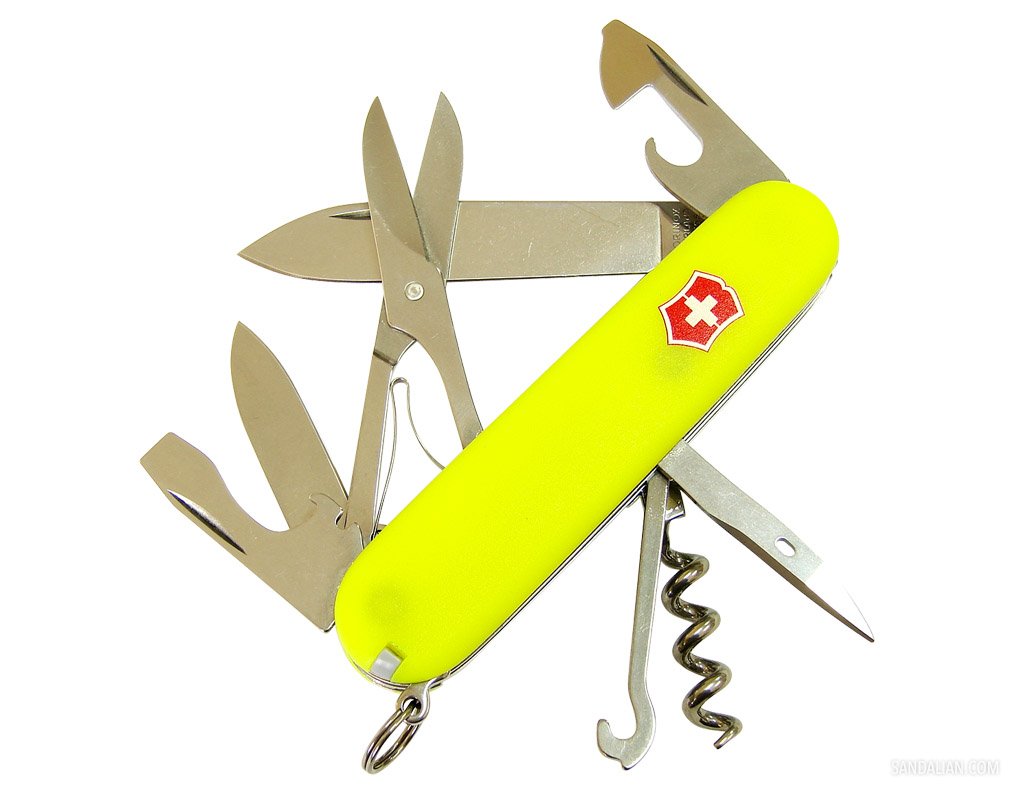
Fake or Original?
After enough sleep, I continue my research about my new knife and I found more pages in Polish language. Now I'm confused 😀 Here are the pics, please […]
Fake Victorinox Knife
Since I was a young boy I always interested with knife. And one of my dream was having a Victorinox knife. Today I was walking on a local […]
Opera 9.6 Beta Diluncurkan
Opera 9.6 Beta 1 telah diluncurkan. Fitur-fitur barunya antara lain adalah Feed Preview, Anda bisa melihat preview suatu RSS/Atom feed sebelum Anda memutuskan untuk berlangganan (subscribe). Selain itu […]
Memimpin, bukan menguasai
Jika Anda perhatikan, nama raja-raja Jawa selalu memposisikan diri mereka pada posisi paling berat, bukan yang paling berkuasa. Sebutlah mangkubumi (memangku bumi), pakubuwono (paku untuk alam semesta), hamengkubuwono […]
Turangganing Wanita
Setahu saya, katuranggan adalah ilmu tentang sifat suatu benda/manusia/hewan berdasarkan penampakan fisiknya. Bukan sepenuhnya hal mistis karena katuranggan itu masuk dalam jajaran ilmu titen alias ilmu yang diperoleh […]
Google Chrome At Glance
Just a few hours ago, I’ve downloaded Google Chrome and give it a try using Windows XP running on VirtualBox. Interesting browser, fast and very user friendly. But […]
Google Chrome, seem to be a promising browser
Browser war are now getting hot with the future brand new browser from Google, named Google Chrome: Using Webkit engine, Google is going to create a browser with […]
Bhinneka.com dan Opera Sudah Akur
Setelah sebelumnya saya menulis tentang tips membuka situs Bhinneka.com menggunakan browser Opera dengan memanfaatkan file CSS terpisah, malam ini saya mendapat komen di tulisan tersebut dari Bapak Hartanto […]